
Supported Devices, Browsers & Login Limits
FX Replay runs in your browser on desktop, laptop, and mobile. Your account can be logged in on up to 5 browsers or devices.
FX Replay runs in your web browser, so there's nothing to download. Here's where you can use it, how to add it to your desktop like an app, and how many browsers you can be logged in on at once.
Supported devices
You can use FX Replay on:
- Desktop and laptop computers: recommended for the best experience. Charting, replay, and backtesting tools are easiest to use on a larger screen.
- Phones and tablets: open FX Replay in your mobile browser. This is handy for reviewing charts or checking your results on the go, but some tools are harder to use on a small screen.
There is no separate mobile app to download from the App Store or Google Play.
Supported browsers
Open app.fxreplay.com in an up-to-date version of Google Chrome, Microsoft Edge, Mozilla Firefox or Safari. Keeping your browser updated helps everything run smoothly. If something isn't working in one browser, try another, or see Quick Fixes: Try These First.
Add FX Replay to your desktop (optional)
On a desktop or laptop, you can install FX Replay from your browser so it opens in its own window, like an app:
- Open app.fxreplay.com in your browser.
- Look for the Install FX Replay icon near the address bar, or open your browser menu and choose the install option.
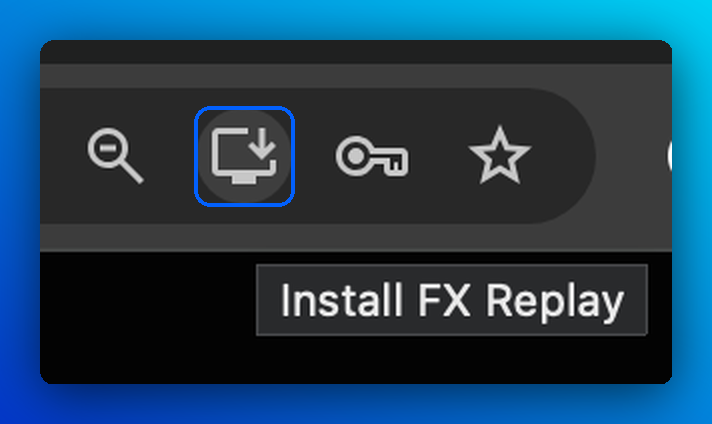
Confirm, and FX Replay is added to your desktop or dock.
This isn't a separate app. It's a shortcut created by your browser, and it works the same as FX Replay in a browser tab. This option isn't available on phones or tablets.
Login limit: up to 5 browsers or devices
Your account can be logged in on up to 5 browsers or devices at the same time. This applies to all plans.
- The limit counts browsers, not just devices. For example, Chrome and Safari on the same computer count as 2 logins.
- If you try to log in on a 6th browser or device, you'll see a notification asking you to log out of one of your existing sessions first.
What to do if you reach the limit
- Log out of FX Replay on a browser or device you're no longer using.
- Go back to the new browser or device and log in again.
Frequently Asked Questions
Is there an FX Replay mobile app?
No. FX Replay works in your mobile browser, so you don't need to download anything.
Can I use FX Replay on my phone?
Yes, through your mobile browser. For backtesting, we recommend a desktop or laptop for the best experience.
Which browsers can I use?
Any up-to-date version of Chrome, Edge, Firefox or Safari. If something isn't working in one browser, try another.
How many devices can I use?
Your account can be logged in on up to 5 browsers or devices at the same time, on any plan.
Do two browsers on the same computer count separately?
Yes. Each browser counts as a separate login, even on the same computer.
I got a message saying I've reached the login limit. What should I do?
Log out of FX Replay on a browser or device you no longer use, then try logging in again. If you're not logged in on 5 browsers and still see this message, contact our support team.
Related articles
Keep exploring this topic.