
How to Replay the Market: Play, Pause, Speed & Skip
Learn how to use the Replay Bar to play, pause, change speed, and skip forward candle by candle in your FX Replay session.
Replaying the market is the heart of backtesting. Price moves forward candle by candle, just like it did in real time, so you make decisions without seeing what comes next.
Meet the Replay Bar
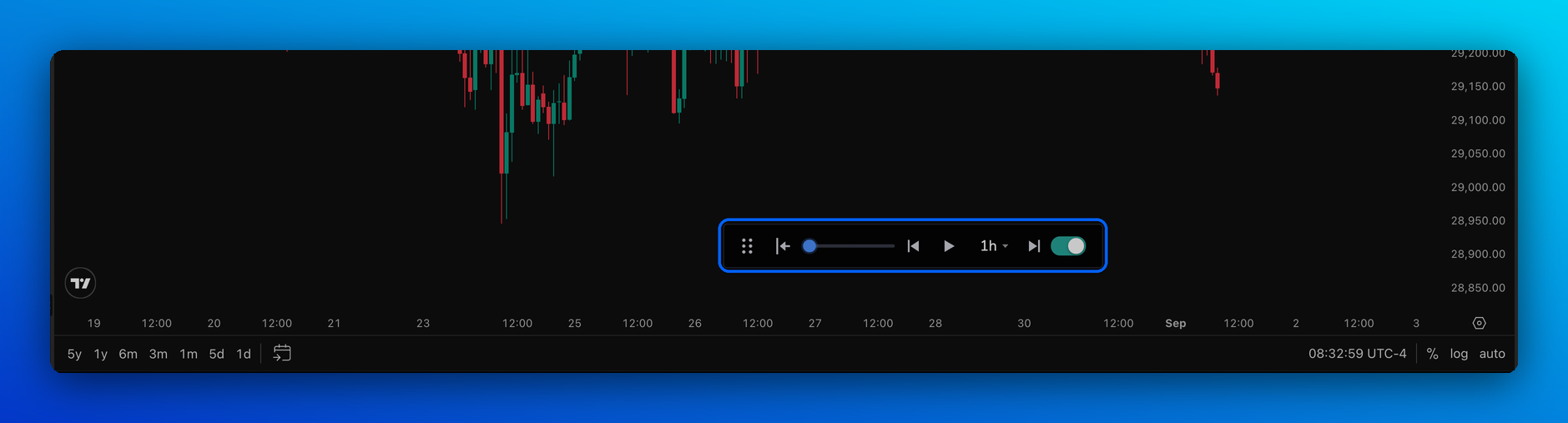
The Replay Bar sits at the bottom of your chart in every backtesting session. It's on by default, so there's nothing to set up.
What each button does
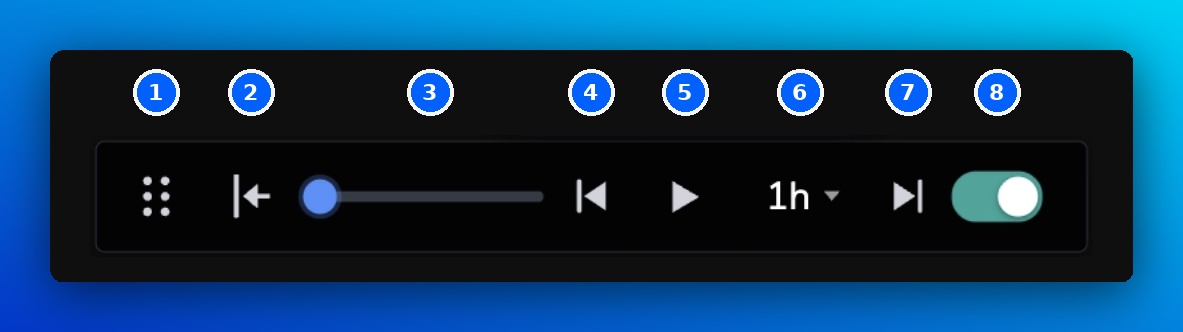
| # | Button | What it does | Shortcut (Windows / Mac) |
|---|---|---|---|
| 1 | Move | Drag the bar anywhere on your chart. | – |
| 2 | Bar Replay | Go back to an earlier date and replay from there. Needs Replay turned on. | Ctrl + Alt + [ / Control + Option + [ |
| 3 | Speed | Drag to make the replay faster or slower. | Slower: Alt + 2 / Option + 2 |
| Faster: Alt + 3 / Option + 3 | |||
| 4 | Previous Bar | Go back one candle. Needs Replay turned on. | Ctrl + Alt + R / Control + Option + R |
| 5 | Play / Pause | Start or stop the replay. | Alt + 1 / Option + 1 |
| 6 | Replay Timestep | Choose how much time each step adds, e.g. 1m, 15m or 1h. | – |
| 7 | Skip one candle | Move forward one step at a time. | Ctrl + Space / Control + Space |
| 8 | Sync Timeframe | When on (green), the timestep matches your chart timeframe. | Alt + 6 / Option + 6 |
Hover over any button on the Replay Bar to see its shortcut. Find the full list in Keyboard Shortcuts.
Replay the market in 4 steps
- Open a backtesting session. It starts at the initial date you chose.
- Click ▶ Play to let the market run, or ▶| Skip one candle to move one step at a time.
- Drag the speed slider until the pace feels right.
- Click Pause whenever you want to analyse the chart or place a trade.
Replay in your own steps
By default, Sync Timeframe is on, so each step matches your chart. For example, on a 1h chart, each step adds one hour.
To replay in different steps:
- Turn off the green Sync Timeframe toggle.
- Open the Replay Timestep menu and pick a step.
Now you can, for example, watch a 1h chart while replaying 5 minutes at a time.
Want to go back in time?
Bar Replay, Previous Bar and the Go To calendar are covered in How to Go Back in Time. To jump forward to the next session, a price or a date, see How to Skip Ahead.
Prop Firm sessions: you can play, pause, change speed and skip forward as normal. Going back in time is turned off to keep challenge conditions realistic.
Frequently Asked Questions
Why won't my session play any further?
You've most likely reached your session's end date. To keep going, create a new session with a later end date. If that's not it, see Quick Fixes: Try These First.
I can't see the Replay Bar. Where is it?
Your browser zoom may be hiding it. Zoom out (Ctrl / Cmd + −) and check again. If it's covering part of the chart, drag it with the ⋮⋮ handle.
Why can't I change the Replay Timestep?
Sync Timeframe is on. Turn off the green toggle, then choose your timestep.
Can I replay more than one asset at the same time?
Yes. With several assets in a multi-chart layout, all charts move forward together, so they always stay in sync.
Related articles
Keep exploring this topic.